

Keep the job moving and the billing caught up.
PayPolka helps small contractors quote the job, collect a deposit, track crew hours and expenses, and invoice the work as it progresses. You can see what's left to bill before you move on to the next job.
Try every feature free for 30 days. No card needed.
The job is finished. The paperwork shouldn't take another evening.
The crew's hours are in a text message. A receipt is in the truck. The customer has paid a deposit, but you still need to work out the final bill. Those details matter when you're the one paying for labor and materials.
Keep a project for each job in PayPolka. Your crew can log hours against it, you can attach expense receipts, and the invoices stay with the work. When you sit down to bill, you have a record to work from.
For a quoted job, send the estimate for online acceptance and invoice it in stages. For hourly work, add the project's unbilled time and expenses to the invoice. See how deposit and progress billing works or walk through a project.
How PayPolka helps
Collect a deposit for the next job
Once the estimate is accepted, enter the amount or percentage you want to invoice. The deposit has its own invoice, and PayPolka tracks what remains to bill against the estimate.
Keep crew hours with the job
Each person gets a weekly timesheet. They choose the project and labor category, then enter their hours. Optional approvals let you review the week and return it with a comment when something needs fixing.
Catch expenses before you send the final bill
Record job expenses with receipt attachments. When you prepare the invoice, choose which unbilled expenses to include alongside hourly work.
Check the budget while there's time to act
Set an hours or dollar budget and an alert threshold. Review the work used so far before an extra visit or a longer-than-expected repair eats into the job.
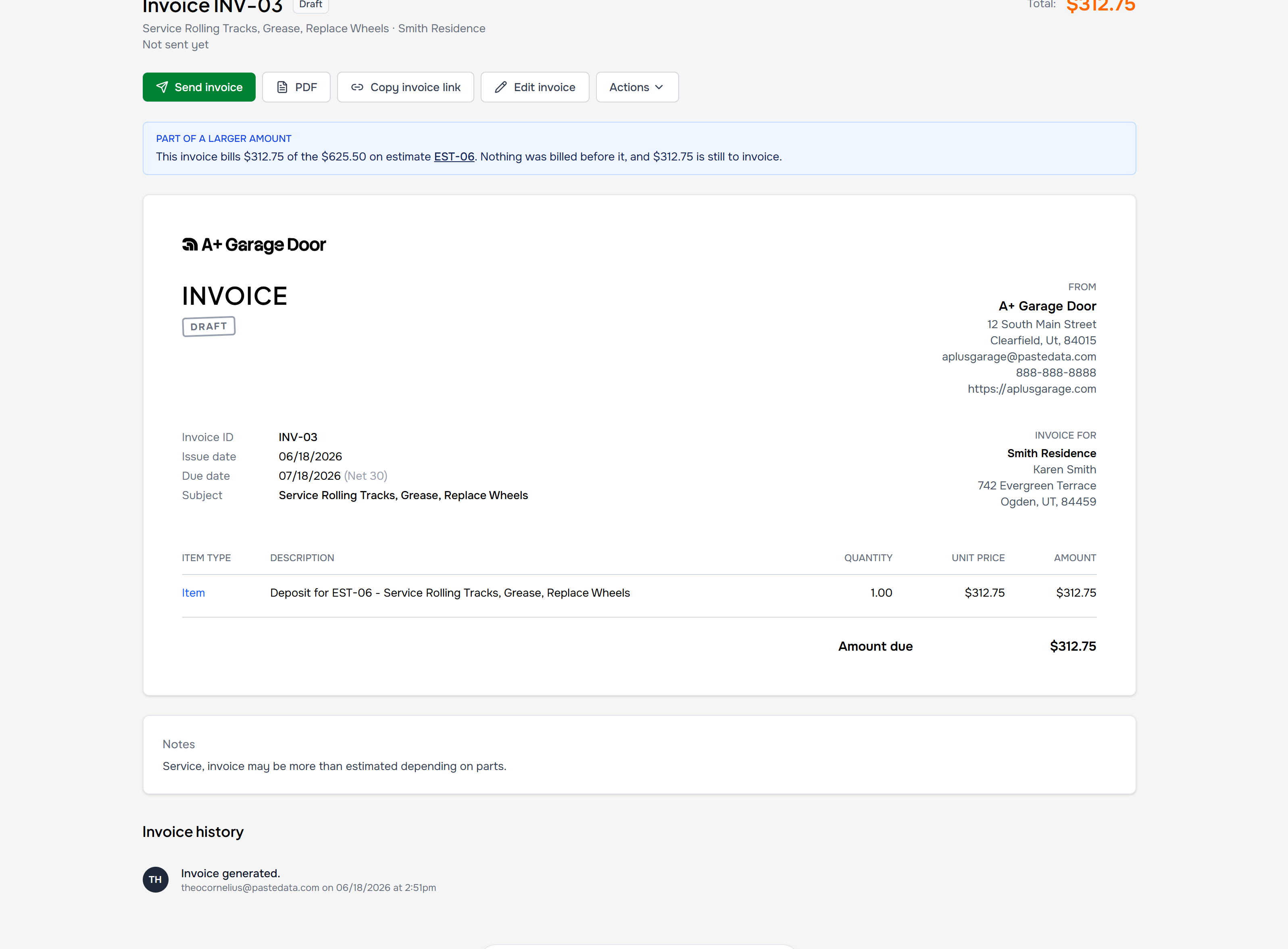
A deposit invoice, linked back to the estimate it bills.
Questions, answered.
Can I bill a deposit and progress payments?
Yes. Invoice an accepted estimate in dollar amounts or percentages. Each invoice is linked to the estimate, so you can see what's already invoiced and what's left. Review and send each invoice yourself.
Does PayPolka schedule or dispatch my crew?
No. It tracks project hours, expenses, estimates, and billing. Keep your existing calendar or dispatch tool for scheduling jobs.
How do clients pay?
Connect your own Stripe account to offer card, ACH, or Cash App Pay. You choose the methods in account settings, and they apply to all invoices. You can also record cash and check payments. Stripe's processing fees apply, with no markup from PayPolka.
What does PayPolka cost?
$9 per person per month. Every feature is included, and read-only accountant access is free. New accounts get 30 days free with no card needed. Add a card before the trial ends to keep going; if you never do, nothing is charged.
Have the details ready when it's time to bill.
Start with your next client project. Log the work, prepare the invoice, and see how PayPolka fits your business.
Try every feature free for 30 days. No card needed.