

Know what a project earned, not just what you charged.
Your team can be busy all week while a fixed-fee project runs over budget. PayPolka puts team hours, project expenses, invoices, and profitability reports together so you can see where the work is going.
Try every feature free for 30 days. No card needed.
Another round of revisions has a cost.
The client sees a fixed price. You see design time, development time, project calls, and the extra changes your team agreed to squeeze in. Without those hours in one place, it's hard to tell whether the next project should cost the same.
Give each client project an hours or dollar budget. Your team records time on a weekly grid, and you can review submitted weeks when approvals are enabled. A budget alert tells you when the project crosses the threshold you set.
Add cost rates for your team and review billed work against labor costs and expenses. The Profitability report gives you a basis for the next scope or pricing conversation. The Uninvoiced report helps you find hourly work that still needs a bill.
Related agency guides & resources:
How PayPolka helps
See where the team's week went
Review hours by client, project, labor category, or person. Compare billable and non-billable time so internal work and revisions don't disappear into one total.
Review timesheets without sharing financial details
Assign a manager to review their team's submitted weeks. Members and managers can log work without seeing billing rates, invoice amounts, or profitability figures.
Keep fixed-fee work in view
Track the hours even when the client pays a set fee. Budget alerts and cost-based reports help you assess how much work that fee is covering.
Include the people who do the work
$9 per person per month, nothing metered. Add a designer and your bill goes up by $9 a month from that day. Deactivate a contractor and it goes down the same way. A read-only accountant reviews the financial reports for free.
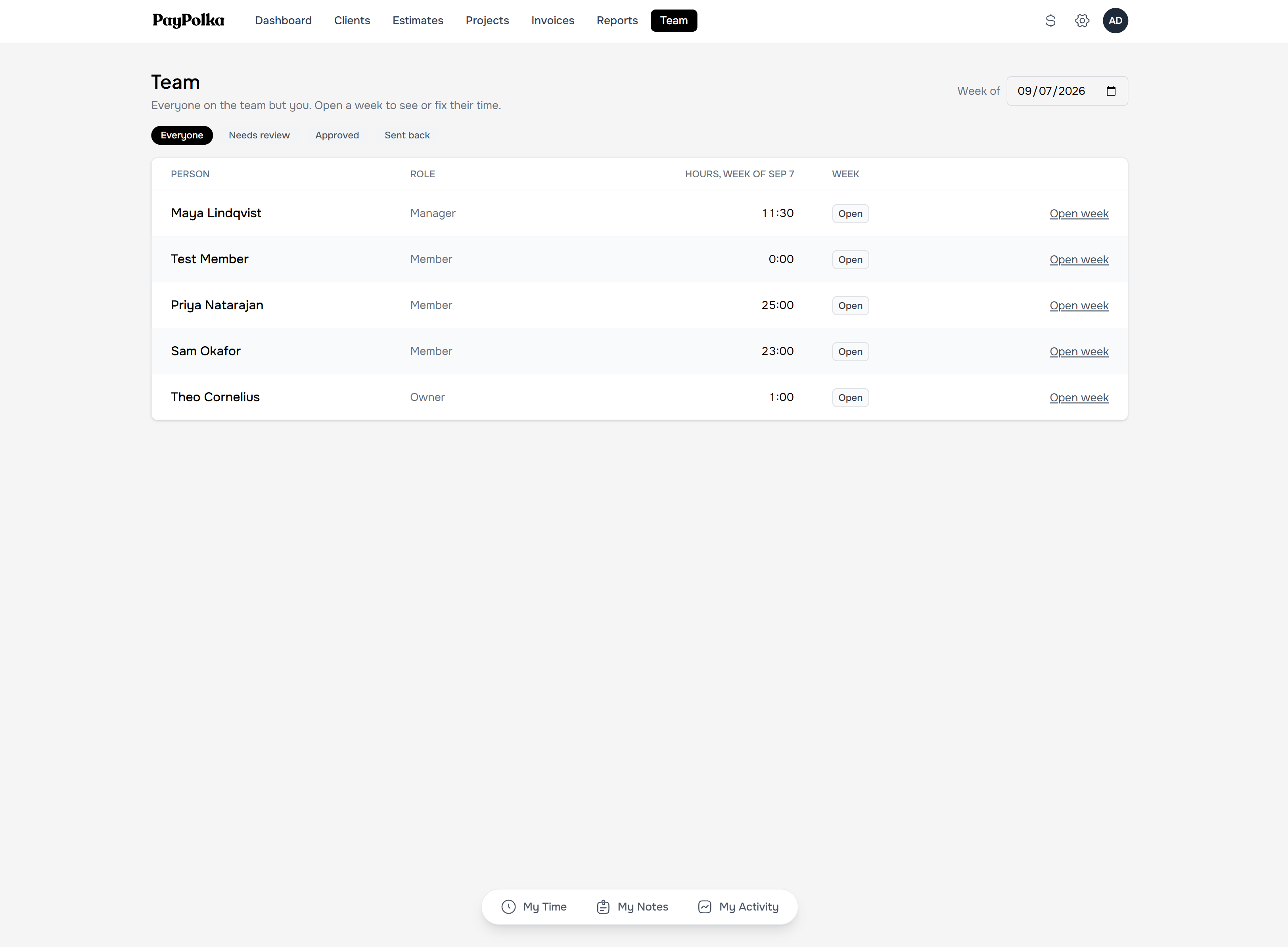
The Team page: everyone's week, with the review queue when approvals are on.
Questions, answered.
Can project managers approve time?
Yes. Assign reviewers in Settings, Team and enable weekly approvals in Settings, Time. Managers can review assigned people's weeks, approve them, or send them back with a comment.
How does the Profitability report work?
It compares billed work with logged labor costs and project expenses. Add cost rates for each person first; missing rates understate costs. Draft invoices don't count as billed revenue, and the report isn't a complete business profit-and-loss statement.
Does it include task boards or resource scheduling?
No. Projects organize time, expenses, billing, and team messages. Keep your task or scheduling tool if you need delivery planning.
What does PayPolka cost?
$9 per person per month. Every feature is included, and read-only accountant access is free. New accounts get 30 days free with no card needed. Add a card before the trial ends to keep going; if you never do, nothing is charged.
Give your next project a budget you can follow.
Start with your next client project. Log the work, prepare the invoice, and see how PayPolka fits your business.
Try every feature free for 30 days. No card needed.